Author: Craig Risi

MMS • Craig Risi
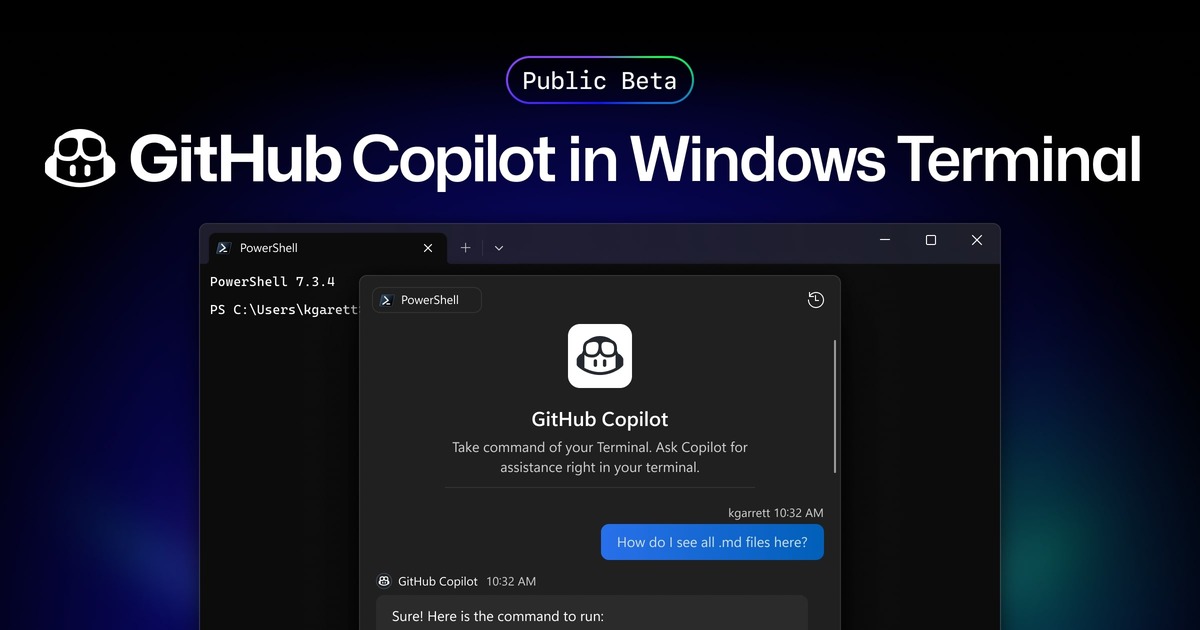
GitHub Copilot’s integration into Windows Terminal Canary introduces an AI-driven feature called Terminal Chat, enabling users to receive command suggestions and explanations directly within the terminal environment. This integration is accessible to all GitHub Copilot subscribers, including Individual, Business, and Enterprise users.
Terminal Chat allows users to interact with an AI service to obtain intelligent suggestions relevant to their terminal context. This feature does not include its own large-language model but can be managed through Group Policy settings. To utilize this feature, users need a subscription to GitHub Copilot and the latest build of Windows Terminal Canary. After authenticating their GitHub account within the Terminal Chat settings, users can engage with GitHub Copilot directly in the terminal.
The integration of GitHub Copilot into Windows Terminal is important because it brings AI-powered assistance directly into a traditionally manual environment, enabling developers to receive real-time command suggestions and explanations without leaving the terminal. This reduces context-switching, accelerates learning, and helps prevent errors, particularly for users working with complex or unfamiliar command-line tasks. By leveraging the user’s current context, the feature provides tailored guidance that supports more efficient workflows in areas like development, system administration, and DevOps.
Moreover, the feature demonstrates how AI services can be contextually aware within specialized environments. Unlike general-purpose AI tools, Terminal Chat leverages the user’s current working context to provide tailored suggestions, aligning with the specific tasks or challenges at hand. It also highlights the trend of integrating AI capabilities not as standalone tools, but as embedded components within existing developer workflows.
Christopher Nguyen, product manager II for Windows Terminal, noted in the article that, “GitHub Copilot users can now use the power of GitHub Copilot to get command suggestions and explanations without leaving the terminal with Terminal Chat in Windows Terminal Canary.” This underscores the focus on reducing friction in development environments, making support tools more accessible exactly where they are needed.
In a broader context, this feature illustrates how developer tools are evolving to incorporate intelligent systems that adapt to user needs. It aligns with ongoing efforts to make software development more efficient and less error-prone, especially as the complexity of systems and the speed of delivery continue to increase.
By incorporating AI assistance directly into the terminal, developers can streamline their workflows, reduce context-switching, and focus more on problem-solving and collaboration. This integration exemplifies the evolving landscape of development environments, where AI tools are becoming integral components in enhancing coding efficiency and developer experience.
MMS • Craig Risi
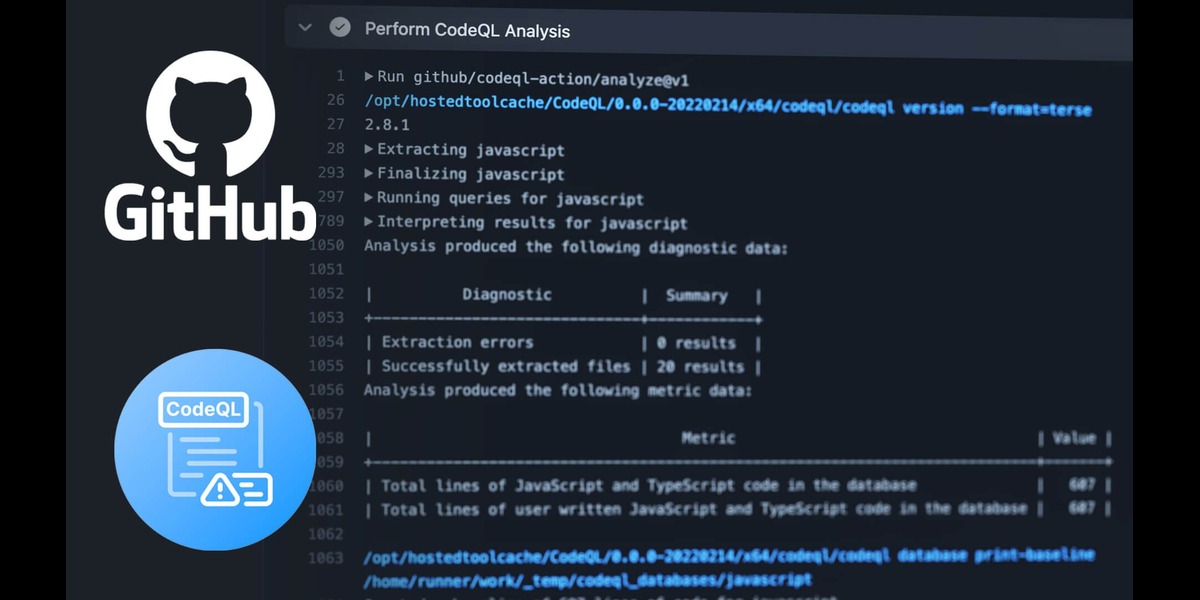
GitHub’s Product Security Engineering team secures the code behind GitHub by developing tools like CodeQL to detect and fix vulnerabilities at scale. They’ve shared insights into their approach so other organizations can learn how to use CodeQL to better protect their own codebases.
CodeQL enables automated security analyses by allowing users to query code in a way similar to querying a database. This method is more effective than simple text-based searches as allows it to follow how data moves through the code, spot insecure patterns, and detect vulnerabilities that wouldn’t be obvious from text alone. This provides a deeper understanding of code patterns and uncovers potential security issues.
The team employs CodeQL in various ways to ensure the security of GitHub’s repositories. The standard configuration uses default and security-extended query suites, which are sufficient for the majority of the company’s repositories. This setup allows CodeQL to automatically review pull requests for security concerns.
For certain repositories, such as GitHub’s large Ruby monolith, additional measures are required. In these cases, the team uses a custom query pack tailored to specific security needs. Additionally, multi-repository variant analysis (MRVA) is used to conduct security audits and identify code patterns that warrant further investigation. Custom queries are written to detect potential vulnerabilities unique to GitHub’s codebase.
Initially, custom CodeQL queries were published directly within the repository. However, this approach presented several challenges, including the need to go through the production deployment process for each update, slower analysis times in CI, and issues caused by CodeQL CLI updates. To address these challenges, the team transitioned to publishing query packs in the GitHub Container Registry (GCR). This change streamlined the process, improved maintainability, and reduced friction when updating queries.
When developing a custom query pack, consideration is given to dependencies such as the ruby-all package. By extending classes from the default query suite, the team avoids unnecessary duplication while maintaining concise and effective queries. However, updates to the CodeQL library API can introduce breaking changes, potentially affecting query performance. To mitigate this risk, the team develops queries against the latest version of ruby-all but locks a specific version before release. This ensures that deployed queries run reliably without unexpected issues arising from unintended updates.
To maintain query stability, unit tests are written for each new query. These tests are integrated into the CI pipeline for the query pack repository, enabling early detection of potential issues before deployment. The release process involves several steps, including opening a pull request, writing unit tests, merging changes, incrementing the pack version, resolving dependencies, and publishing the updated query pack to GCR. This structured approach balances development flexibility with the need for stability.
The method of integrating the query pack into repositories depends on the organization’s deployment strategy. Rather than locking a specific version of the query pack in the CodeQL configuration file, GitHub’s security team opted to manage versioning through GCR. This approach allows repositories to automatically use the latest published version while providing the ability to quickly roll back changes if necessary.
One challenge encountered when publishing query packs in GCR was ensuring accessibility across multiple repositories within the organization. Several solutions were considered, including manually granting access permissions, using personal access tokens, and linking repositories to the package for inherited access permissions. The team ultimately implemented the linked repository approach, which efficiently managed permissions across multiple repositories without manual intervention.
GitHub’s security team writes a variety of custom queries to enhance security analysis. These queries focus on identifying high-risk APIs, enforcing secure coding practices, and detecting missing authorization controls in API endpoints. Some queries serve as educational tools rather than strict enforcement mechanisms, using lower severity levels to alert engineers without blocking deployments. This approach allows developers to assess security concerns while ensuring that the most critical vulnerabilities are addressed promptly.
MMS • Craig Risi
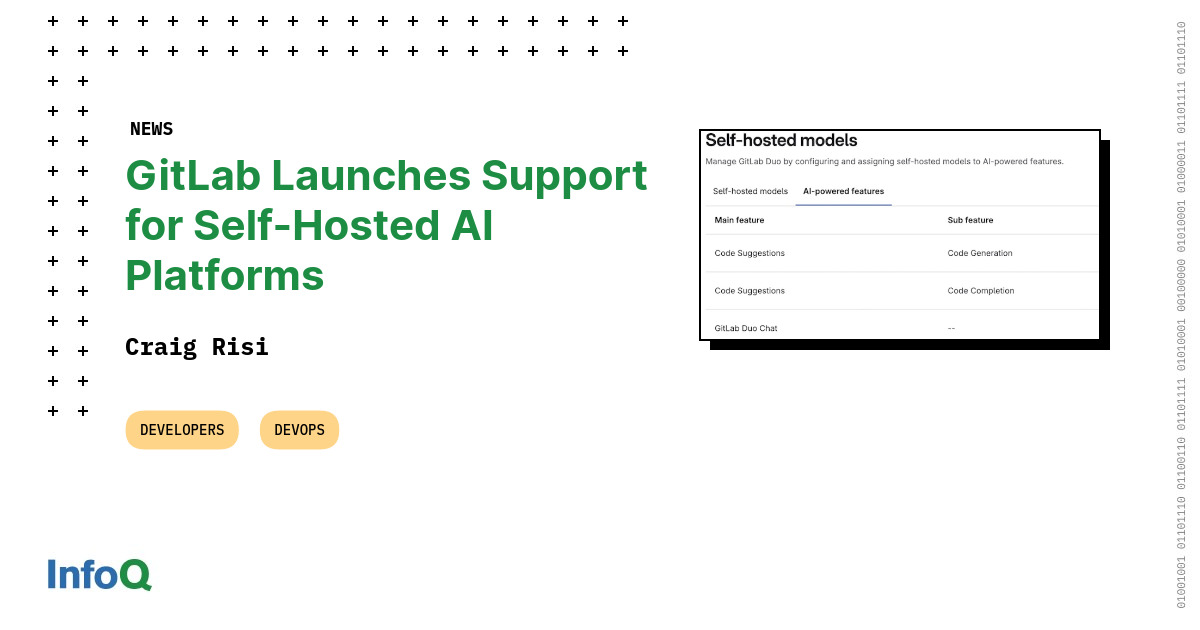
On February 20, 2025, GitLab released version 17.9, which introduced improvements aimed at enhancing user experience and functionality. A highlight of this release is the general availability of GitLab Duo Self-Hosted, enabling organizations to deploy large language models (LLMs) within their infrastructure.
This allows for the integration of GitLab Duo Code Suggestions and Chat using models hosted on-premises or in private clouds, supporting open-source Mistral models on vLLM or AWS Bedrock, Claude 3.5 Sonnet on AWS Bedrock, and OpenAI models on Azure OpenAI.
Organizations that deploy LLMs within their own infrastructure or private cloud environments avoid the risk of exposing proprietary code, intellectual property, or sensitive business data to external AI providers. Industries with strict compliance and regulatory requirements, such as finance, healthcare, and government sectors, benefit from this capability as they can leverage AI while maintaining full control over their data.
Joel Krooswyk, Federal CTO for GitLab, noted to DevOps.com, that although the software-as-a-service (SaaS) edition of the platform is seeing increased adoption, many organizations still opt for self-hosting due to factors such as regulatory requirements. He added that this self-hosted approach allows organizations to manage their own DevOps platforms and helps DevOps teams meet any data privacy requirements or concerns their organization may have.
Running LLMs on-premises or in a private cloud, organizations can eliminate latency associated with external API calls to AI services. This is especially beneficial for real-time AI applications. Additionally, regulatory concerns around data residency and compliance (such as GDPR, HIPAA, or SOC 2) are more manageable when AI processing remains within an organization’s controlled environment.
With AI-assisted coding and chat functions, organizations can embed secure coding practices into their development process. LLMs can help identify security vulnerabilities, suggest best practices, and even automate fixes before code is merged. This aligns with the growing trend of shift-left security, where security measures are integrated earlier in the development lifecycle.
Overall, GitLab 17.9 brings substantial improvements in AI integration, deployment efficiency, development environment collaboration, and project maintenance.
Another enhancement is the ability to run multiple GitLab Pages sites with parallel deployments, allowing for simultaneous updates to various sites, improving efficiency and reducing deployment times.
Integration capabilities have also been expanded with the option to add project files to Duo Chat within popular integrated development environments (IDEs) such as Visual Studio Code and JetBrains. This facilitates deeper code interpretation and collaboration directly within the development environment, which is likely aimed at enhancing productivity and teamwork.
To optimize project maintenance, GitLab 17.9 introduces the automatic deletion of older pipelines. This feature helps in managing storage and maintaining an organized project repository by removing outdated pipeline data, ensuring that resources are efficiently used.
AI continues to grow in support across the industry and this new release from GitLab showcases further progress in how development teams can leverage LLMs in new ways to enhance their efficiency.
MMS • Craig Risi

AWS has introduced a new capability for AWS Organizations members, allowing administrators to centrally manage and restrict root-user access across multiple AWS accounts. This update enhances security and governance by providing organizations with greater control over the most privileged access within their cloud environments.
Administrators can now get a consolidated view of root- user access across all accounts within an AWS Organization. This includes insights into whether multi-factor authentication (MFA) is enabled, helping security teams enforce best practices.
With the new functionality, AWS Organizations can enforce service control policies (SCPs) to regulate root-level actions, either restricting them entirely or allowing them under specific conditions. This strengthens security by preventing unauthorized use of the root user across accounts and ensures compliance by enforcing critical controls, such as requiring MFA before executing sensitive actions. By mitigating the risk of misconfigurations or accidental privilege escalations, these policies help maintain a more secure and well-governed cloud environment.
AWS recommends keeping root access to a minimum, using it only for essential operations, following the concept of least-privilege access, and preventing any user from having access to full -admin capabilities.
With centralized management, organizations gain greater control and visibility over root- account activity. They can now monitor when and how root accounts are accessed, tracking usage across all accounts to detect potential unauthorized access or security threats. Security teams can also audit compliance by ensuring that root users adhere to organizational policies, such as requiring multi-factor authentication (MFA) or restricting high-risk actions. Additionally, administrators can enforce MFA and apply service control policies (SCPs) to limit root-user privileges, ensuring access is restricted to only essential actions and reducing the risk of misuse or compromise. Should a person need to be granted root access to perform a specific task, there is still a provision of a root session that can provide this access temporarily without needing to provide a person with this level of access permanently.
Previously, organizations in AWS had to manage root-user access at an individual account level, increasing the risk of inconsistent policies and potential security gaps.
Both Azure and Google Cloud also provide hierarchical management structures and centralized identity and access management through their respective Management Groups and Identify and Access Management systems, and this update brings AWS up to standard with these approaches.
This feature is available to all AWS Organizations customers. Administrators can configure root access policies within AWS Organizations and use AWS IAM policies and SCPs to enforce restrictions.
MMS • Craig Risi
On January 13, 2025, GitHub released a new update to GitHub Issues, entering public preview with a host of new features designed to improve project management for development teams. The focus of the update is on breaking down complexities with sub-issues.
The introduction of sub-issues allows developers to create a parent-child hierarchy for tasks. This feature is handy for breaking down complex projects into smaller, manageable pieces.
Teams can now nest related tasks under a parent issue, allowing for better organization and a clearer representation of work breakdown. By structuring issues hierarchically, teams can group related activities, providing visibility between dependencies and tasks.
Additionally, teams can track progress at a granular level within the hierarchy, enabling them to monitor the status of each sub-task independently. This level of detail provides greater visibility into how smaller components contribute to the overall project. By breaking down work into manageable parts, teams can allocate resources more efficiently and identify potential bottlenecks early in the process.
Moreover, teams can monitor the overall status of sub-issues directly from their projects, making it easier to assess progress without needing to open individual tasks. This centralized view provides real-time insights into which areas require attention. By maintaining a structured issue hierarchy, teams can visualize dependencies, manage workloads, and track execution across multi-layered initiatives.
The new issue types feature introduces a structured approach to categorizing work across repositories. By defining shared types such as “bug,” “task,” or “initiative,” teams can establish a common language for organizing issues, making it easier to track their status across multiple projects. This classification system provides a clearer overview of the distribution of work, from high-level initiatives to unresolved bug fixes, fostering better alignment and offering valuable insights into project priorities.
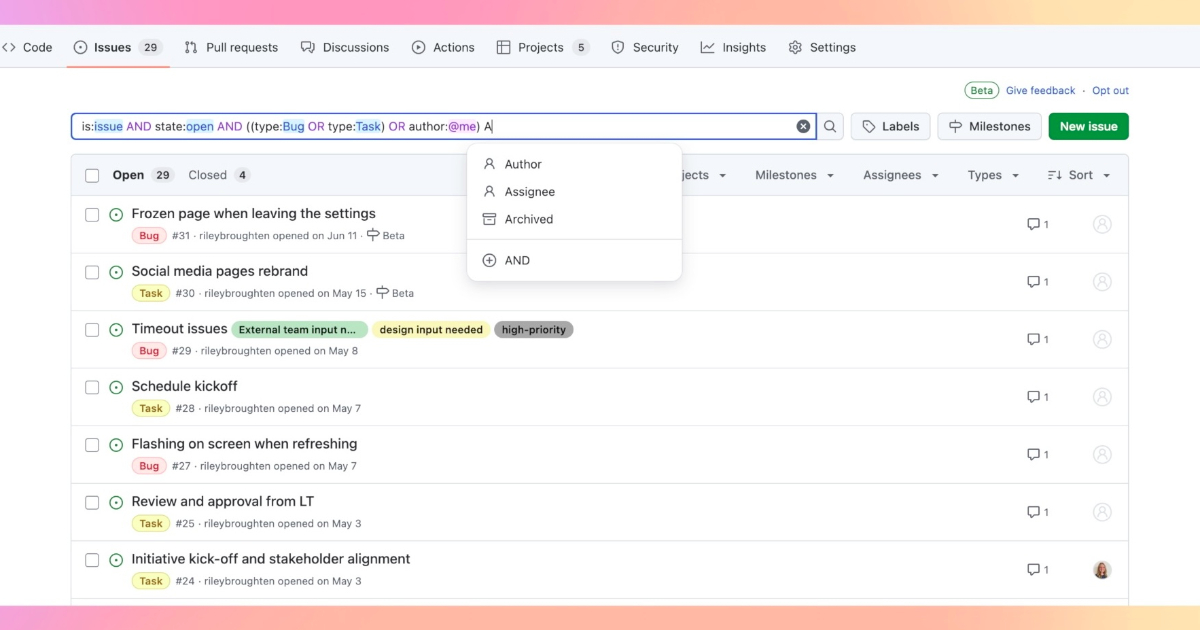
In addition, advanced search functionality enhances issue tracking by allowing users to create complex queries using AND and OR operators with parentheses. This enables precise filtering, making it easier to find specific issues based on defined criteria, such as searching for all bugs and tasks within a repository. With these capabilities, teams can efficiently navigate their projects, ensuring a more streamlined and organized workflow.
This enhancement addresses the challenge of sifting through large volumes of issues, making it easier to locate and prioritize tasks, according to GitHub.
The update sees GitHub enhancing its project and team management, moving GitHub closer to a full development team hub, similar to its Microsoft counterpart – AzureDevOps. Over the past few years, they’ve introduced boards, roadmap views, and workflow automation features to allow it to become a more comprehensive tool suitable for. These new updates appear designed to operate across different methodologies, such as Scrum or Kanban, and promise deeper integration with CI/CD pipelines and third-party tools.
To enhance usability and performance, GitHub has introduced several updates to the Issues UI. The revamped filter bar now features autocomplete and syntax highlighting, making it easier to refine searches. A new “create more” option streamlines the process of adding multiple issues, while issue forms and templates are now sorted alphabetically for quicker access. Sharing issue URLs is more convenient with the addition of a “copy link” button, and the event loader has been improved to retrieve up to 150 entries at once, reducing the need for excessive clicks when navigating long threads.
Developers and teams can enable the public preview in their repositories and experiment with the features to refine workflows and provide feedback.